Tuner
The Tuner is a chromatic tuner that listens to your ukulele through the microphone and shows whether each string is in tune.
How to Use
- Tap Start Tuning to begin listening.
- Play an open string on your ukulele.
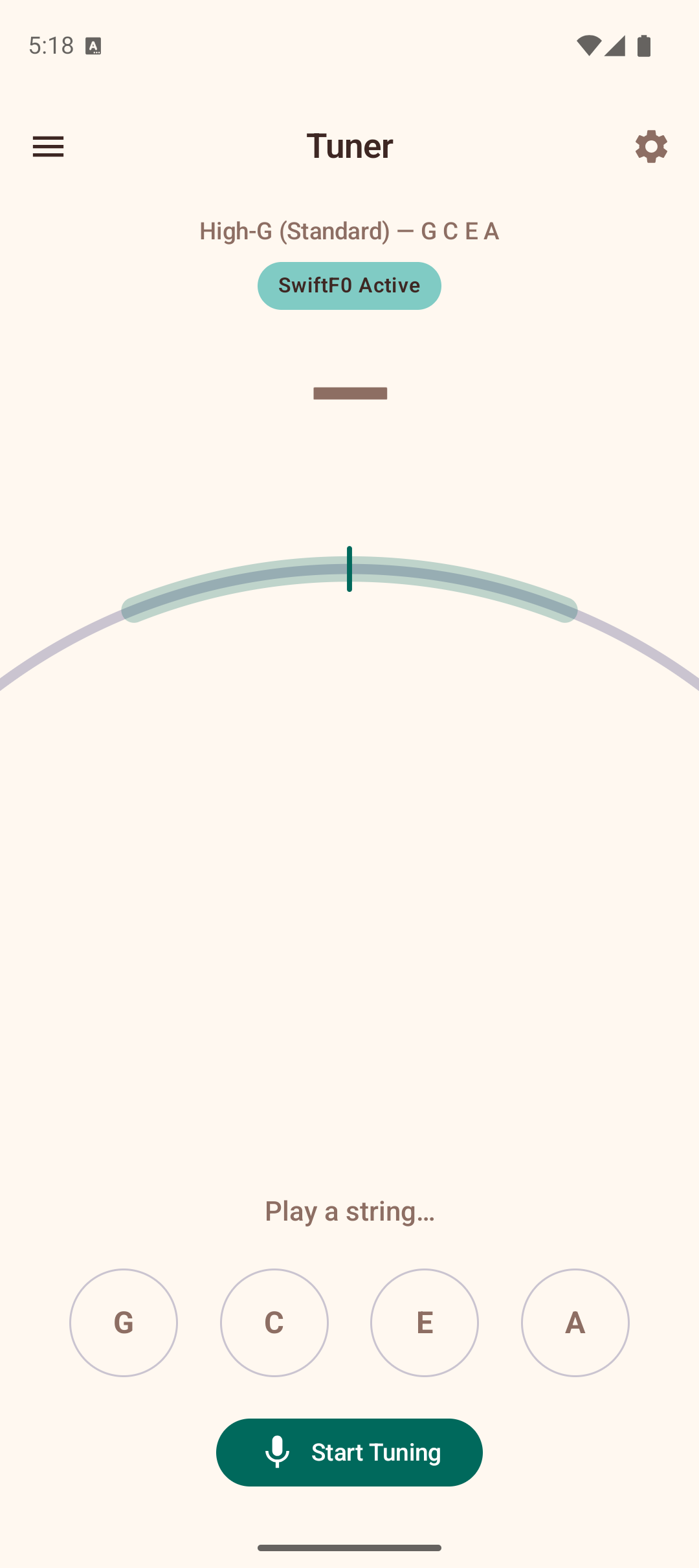
- The tuner displays the detected note, a semicircular meter showing how sharp or flat the pitch is, and text guidance ("Tune up", "Tune down", or "In tune").
- Adjust the tuning peg until the needle centers and the note turns green.
- Repeat for each string.
Tuner Display
- Note name — large, color-coded text showing the detected pitch. Green means in tune, yellow means close, and red means the string needs significant adjustment.
- Needle meter — a semicircular gauge showing the deviation in cents (-50 to +50). Center is perfectly in tune.
- Cents display — a numeric readout (e.g., "+5 ¢") for precise tuning.
- Guidance text — "Tune up", "Tune down", or "In tune" to tell you which direction to adjust.
String Buttons
Four buttons at the bottom show the open strings for your selected tuning (G, C, E, A in standard High-G). Tap a string button to hear its reference pitch. A checkmark appears on strings that have been successfully tuned.
Neural Pitch Detection
The tuner uses a hybrid pitch detection pipeline. A SwiftF0 Active badge indicates that neural pitch supervision is running alongside the standard YIN algorithm, improving accuracy for difficult-to-detect pitches and reducing octave errors.
Tuning Modes
The tuner adapts to whichever tuning you have selected in Settings. Available tunings include High-G (standard), Low-G, Baritone, D-Tuning, and more.
Tips
- Tune in a quiet environment for the best results.
- Play each string firmly and let it ring — the tuner needs a clear, sustained tone.
- Tune from below the target pitch upward for better tuning stability.
- The string buttons double as reference tones — tap them to hear what the string should sound like.
- If the tuner picks up background noise, increase the Noise filtering slider in Settings. If it struggles to detect quiet playing, lower it.