Getting Started
Installing the App
Ukulele Companion is available as an Android APK. Install it on any device running Android 8.0 (Oreo) or later. No account or login is required — just install and open.
First Launch
When you open the app for the first time, a short onboarding wizard walks you through the key features. The wizard has six pages that you can swipe through or navigate with the Next / Back buttons:
- Welcome — the app name and what it does.
- Features — a quick overview of the tuner, chord library, fretboard explorer, songbook, and learning tools.
- Accessibility — TalkBack support, spoken tuner feedback, and the high-contrast theme.
- Privacy — fully offline, no ads, no tracking, no account required.
- Navigation — how to open the navigation drawer and what each section contains.
- Quick Setup — choose your tuning (High-G, Low-G, Baritone, etc.), left-handed mode, and color theme. These choices take effect immediately and can be changed later in Settings.

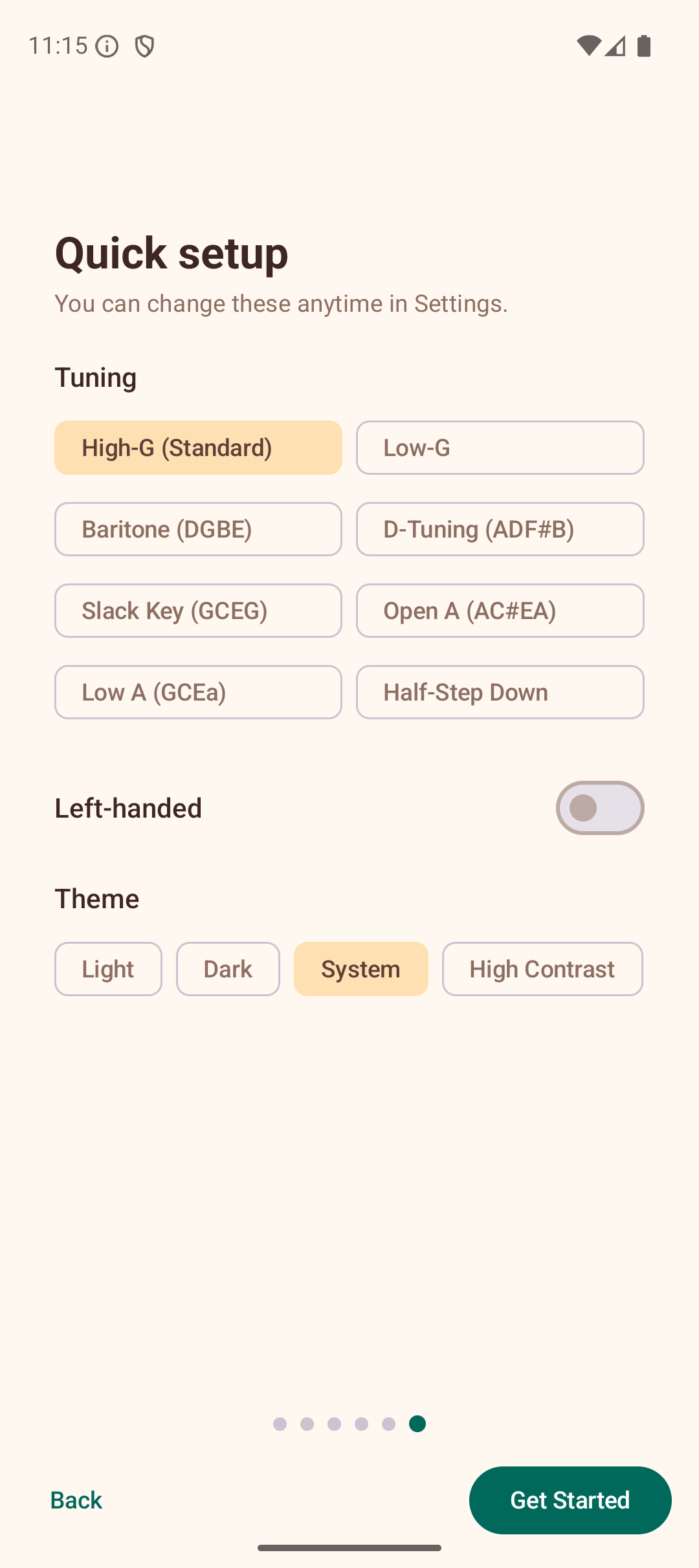
Tap Get Started on the last page to enter the app. You can also tap Skip on any earlier page to go straight to the Explorer.
The wizard only appears once. After that, the app opens directly to the Explorer.
Navigating the App
The app uses a navigation drawer to move between sections. Tap the hamburger menu icon (three horizontal lines) in the top-left corner to open the drawer.
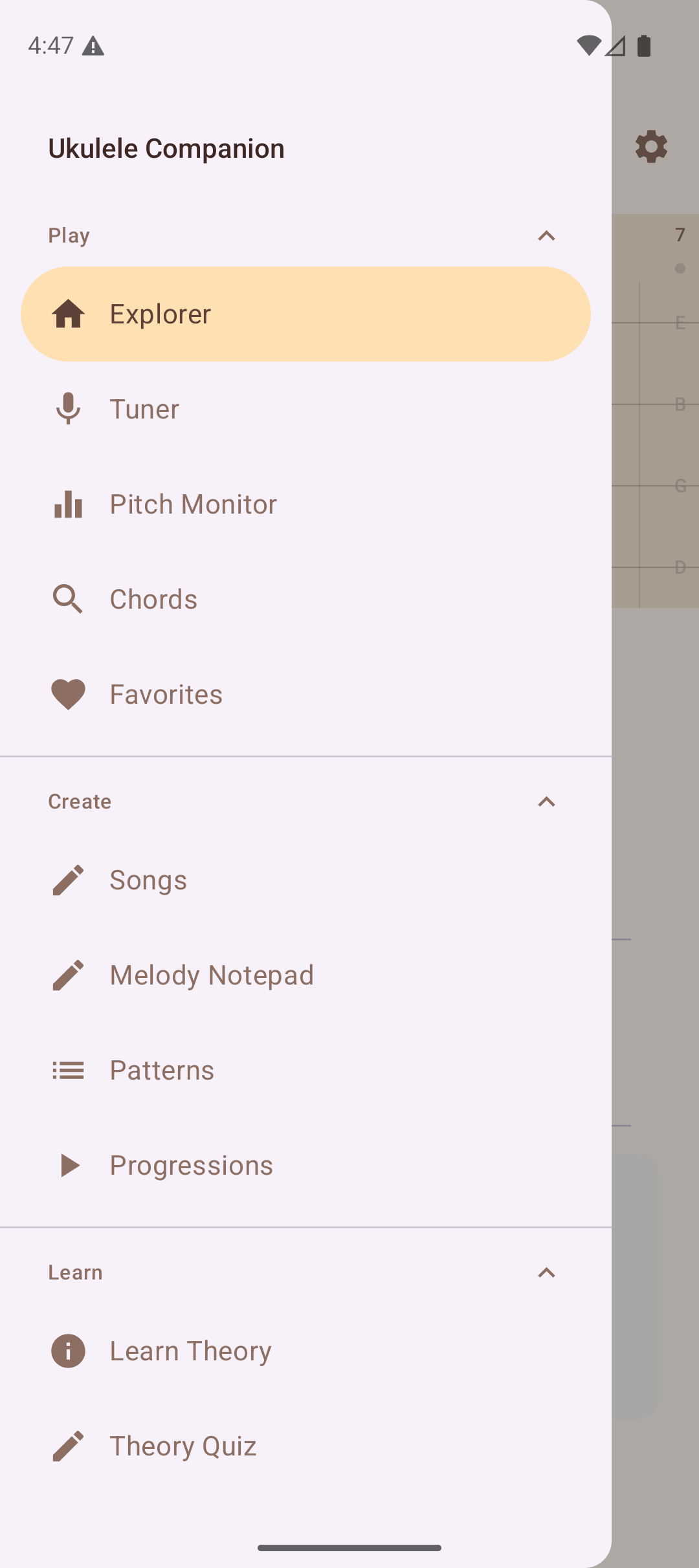
The drawer is organised into four collapsible groups. Tap any section header (Play, Create, Learn, Reference) to expand or collapse it, reducing clutter. The Learn and Reference sections can also be hidden entirely from Settings > Display.
The four groups are:
Play
| Section | What It Does |
|---|---|
| Explorer | Interactive fretboard with chord detection |
| Tuner | Chromatic tuner using the microphone |
| Pitch Monitor | Real-time pitch visualisation graph |
| Chords | Browse the chord library by root and type |
| Favorites | Your saved chord voicings |
Create
| Section | What It Does |
|---|---|
| Songs | Personal songbook with chord sheets, ChordPro import/export |
| Melody Notepad | Simple melody composition tool |
| Patterns | Strumming and fingerpicking pattern reference |
| Progressions | Common chord progressions in any key |
Learn
| Section | What It Does |
|---|---|
| Learn Theory | Structured theory lessons |
| Theory Quiz | Test your music theory knowledge |
| Interval Trainer | Ear training for intervals |
| Note Quiz | Fretboard note identification quiz |
| Chord Ear Training | Identify chord types by ear |
| Scale Practice | Guided scale exercises on the fretboard |
| Progress | Dashboard with learning stats and practice timer |
| Daily Challenge | Three fresh challenges every day |
| Practice Routine | Guided practice session builder |
| Chord Transitions | Animated finger movement between chords | | Play Along | Real-time play-along with chord detection | | Achievements | Milestone gallery and progress tracking |
Reference
| Section | What It Does |
|---|---|
| Capo Guide | Educational capo reference |
| Circle of Fifths | Visual key relationship chart |
| Chord Substitutions | Guide to chord substitutions |
| Chords in Scale | Diatonic chords for any scale |
| Fretboard Notes | Visual note map of the fretboard |
| Glossary | Searchable music theory dictionary |
Opening Settings
Tap the gear icon in the top-right corner of the app bar to open the Settings panel. Here you can adjust tuning, theme, sound, and more. See the Settings page for details.
Tips
- The app works entirely offline — no internet connection is needed.
- Your favorites, songs, and settings are saved locally on your device.
- Long-press on chord voicings in the library to save them as favorites.
- Check the Help screen (at the bottom of the drawer) for quick descriptions of every feature.